Google Business Profile Without a Storefront: Guide for UK Service-Area Businesses
Plenty of UK businesses never welcome customers through a front door. Plumbers, electricians, cleaners and mobile trades go to their customers instead, and a service-area business profile is how Google Business Profile is designed to represent them.
Short answer: Yes, a genuine business without a storefront can usually have a Google Business Profile if it travels to customers. You set it up as a service-area business, hide your address if customers do not visit it, and list the towns, cities or postcodes you genuinely serve. Accuracy matters more than trying to appear everywhere.
What is a service-area business on Google?
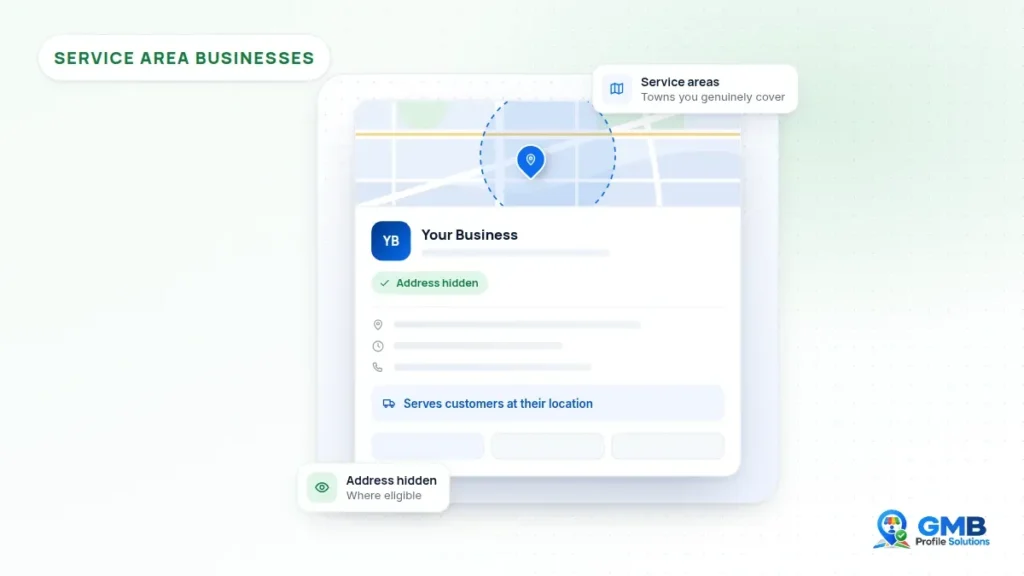
A service-area business is one that visits or delivers to customers at their location, rather than serving them at its own premises. On Google, its profile shows the areas it covers instead of a street address.
Google also recognises hybrid businesses. These have premises that customers can visit during staffed hours and also travel to customers. A hybrid business can show its address and list service areas as well. Google’s page on managing service areas for service-area and hybrid businesses explains the difference.
Who may be eligible for a Google Business Profile without a storefront?
A business may be eligible if it makes in-person contact with customers, either at its own location or by travelling to them. Google’s guidelines for representing your business are clear that businesses meeting either condition can create a profile.
That typically includes trades and home services such as plumbing, electrical work, roofing, cleaning, locksmiths, gardening and pest control. It can also include mobile businesses such as dog groomers, mobile mechanics or mobile hairdressers, where they genuinely meet customers.
The key test is genuine, in-person service. If you regularly travel to customers’ homes or workplaces to do the job, you are likely to fit the service-area model. If customers instead come to a location you staff, you may be a storefront or hybrid business.
A business that only operates online, or never meets customers face to face, is generally not eligible. Neither is a business trying to appear in an area it does not actually serve.
Can you use your home address for a service-area business?
Many sole traders and small firms run their business from home, and that is not a problem in itself. You can generally use your home address as the base for the profile, but if customers do not visit you there, it should not be shown publicly.
Google’s guidelines use the example of a plumber running a business from a residential address: in that case the address should be removed from public view. Google still needs an address it can find for verification purposes, as explained on its page about managing your business address.
What is not acceptable is using an address you do not genuinely operate from. Virtual offices are not eligible, mailboxes at remote locations are not acceptable, and co-working addresses only qualify in limited circumstances, such as clear signage and staff present during business hours.
Should your address be public or hidden?
Show your address only if customers visit you there during your stated hours. If they do not, hide it and rely on your service areas instead.
- Hide the address if you work from home, from a yard customers do not visit, or from a van.
- Show the address if you have staffed premises where customers come to you, such as a showroom or workshop that is open to the public.
- Show the address and add service areas if you are a hybrid business that does both.
If you change how you operate, update the profile to match. A business that opens a showroom may move from a service-area set-up to a hybrid one, while a business that closes its shop and moves to mobile work should hide its address. Google’s help page on managing your address explains that when you hide the address, the profile shows only your service area.
Getting this wrong is a common trigger for problems. A home address shown publicly for a business that only visits customers can conflict with the guidelines, even when the business itself is completely genuine.
How should you define your service areas?
Define service areas by the towns, cities, postcodes or other named areas you genuinely cover. Google’s current guidance says service areas are set by area names rather than a radius around your base.
Google also says:
- You can add up to 20 service areas.
- The boundaries of your overall area should not be more than about two hours of driving time from where your business is based.
- You should be as specific and accurate as possible.
For a UK business, that might mean listing the towns or postcode districts you regularly work in, rather than entire regions. A Leeds based electrician who works across nearby towns could list those towns, rather than adding cities at the other end of the country to try to appear there.
It is also worth being realistic about how service areas affect visibility. Adding an area tells customers where you work, but it is not a promise that you will appear for every search in that area. Where you show up depends on many factors that Google does not fully publish, so a shorter, accurate list is usually a better foundation than a long, aspirational one.
Review your service areas from time to time. If you stop covering a town, remove it. If you genuinely expand, add the new areas once you are actually taking work there. Google notes that changes may take some time to appear once approved.
What does a service-area business profile look like for different trades?
The same principles apply across trades, but the details differ. These examples show how a genuine business might approach its profile.
Plumbers
A plumber working from home would usually hide the address, list the towns or postcodes they cover, and use the trading name shown on the van and invoices. Adding “emergency” or place names to the business name would conflict with the naming rules. See our page for plumbers.
Electricians
An electrician may have a small unit used for storage. If customers do not visit it, it is still a service-area profile with the address hidden. Relevant scheme registrations can also be helpful evidence if verification or an appeal is ever needed.
Roofers
Roofing firms sometimes cover a wide patch. Keeping service areas within a realistic travelling distance, and listing specific towns, tends to reflect the business more accurately than broad county names.
Cleaners
Domestic and commercial cleaning companies usually serve customers at their premises, so a hidden address with clear service areas is the typical set-up. Our cleaning companies page has more on this.
Mobile services
Mobile groomers, mechanics, hairdressers and similar businesses should list where they genuinely travel. If you also have a salon or workshop customers visit, a hybrid set-up may be more appropriate.
How does verification work for a service-area business?
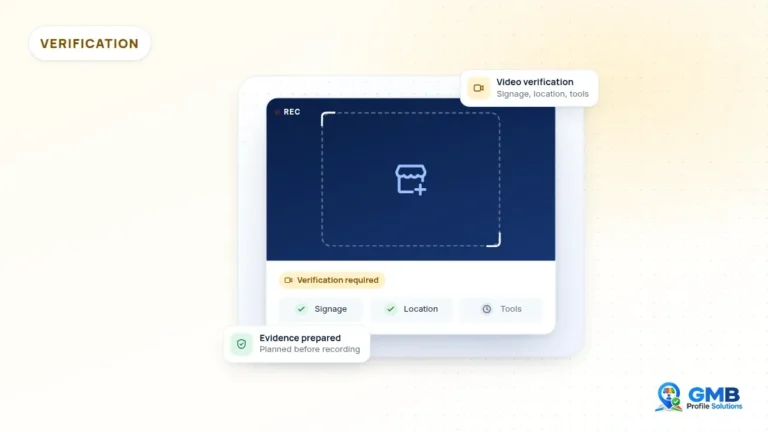
Service-area businesses go through verification like any other profile, and Google decides which method to offer. Video verification is common for businesses without a storefront.
For video, Google’s video verification guidance suggests that service-area businesses show street signs and nearby landmarks, and that home-based businesses record identifiers in their immediate neighbourhood. You would also show evidence of the business, such as your branded vehicle, tools and equipment, and something that proves you manage it.
Before you verify, check that the name, category and hidden address are all set correctly. It is usually easier to get the profile right first than to make significant edits straight after verification, which can lead Google to review the profile again.
A few preparation points tend to help service-area businesses in particular:
- Make sure your branded vehicle, if you have one, shows the same name as the profile.
- Keep relevant tools and equipment to hand so they can be shown clearly.
- Have a document ready that links you to the business, without showing sensitive details on camera.
- Plan where you will start filming, such as a street sign near your base.
If verification is not successful, read the reason Google gives before trying again. It is usually more productive to fix the underlying issue, such as unclear location evidence or a name mismatch, than to repeat the same attempt.
What mistakes do service-area businesses commonly make?
Most service-area problems come from trying to look bigger or more local than the business really is. A few mistakes appear again and again.
- Showing a home address publicly when customers never visit
- Using a virtual office or mailbox address to appear in a different town
- Adding service areas far beyond realistic travelling distance
- Adding keywords or locations to the business name
- Creating separate profiles for each town served, which can create duplicates
- Changing the name, address and category all at once, which can prompt a fresh review
Each of these can lead to verification difficulties or a suspension. Keeping the profile simple, accurate and consistent with your real business is generally the safest approach. If you need a full review, our service-area business profile support page explains what we check.
Get a second pair of eyes
If you run a genuine service-area business and are unsure whether your profile is set up correctly, GMB Profile Solutions offers an independent, free case review. We are not Google and cannot promise any particular result, but we can check your address settings, service areas and profile details against the guidelines. You can get in touch here.
Frequently asked questions
Do I have to show my address on Google Business Profile?
No, not if customers do not visit you there. Google's guidance says that if you serve customers at their locations and not at your own, the address should be hidden from your profile and service areas shown instead. Only businesses where customers can visit staffed premises during stated hours should normally show their address publicly.
How many service areas can I add?
Google currently allows up to 20 service areas. It also says the boundaries of your overall area should not be more than about two hours of driving time from where the business is based. Listing the specific towns, cities or postcodes you genuinely cover is generally more accurate than adding very broad regions.
Can I create a profile for each town I work in?
Generally, no. Google's guidelines say there should be one profile per business, and separate profiles for towns where you have no staffed premises can be treated as duplicates. Instead, add the towns you cover as service areas on a single profile. A separate profile may only be appropriate for a genuinely separate, eligible location.
Can I use a virtual office for my service-area business?
Google's guidelines say virtual offices are not eligible, and mailboxes at remote locations are not acceptable. A service-area business should use the address it genuinely operates from, such as a home address, and hide it if customers do not visit. Using an address you do not operate from may lead to verification problems or suspension.
Sources and further reading
This guide is general information, not legal advice. Google's policies and processes change, and outcomes are decided by Google. GMB Profile Solutions is an independent service provider and is not affiliated with, endorsed by, or part of Google LLC.