
Verification support
Google Business Profile verification problems, explained
Verification is how Google confirms that a business is real and that you are entitled to manage its profile. When it fails, or keeps being requested, it can be hard to know why. We help you understand what Google is asking for and prepare accurate, relevant evidence.
- Video verification preparation and guidance
- Evidence checked before you submit
- Clear advice on reverification
Independent service. Not affiliated with Google. Outcomes are decided by Google.
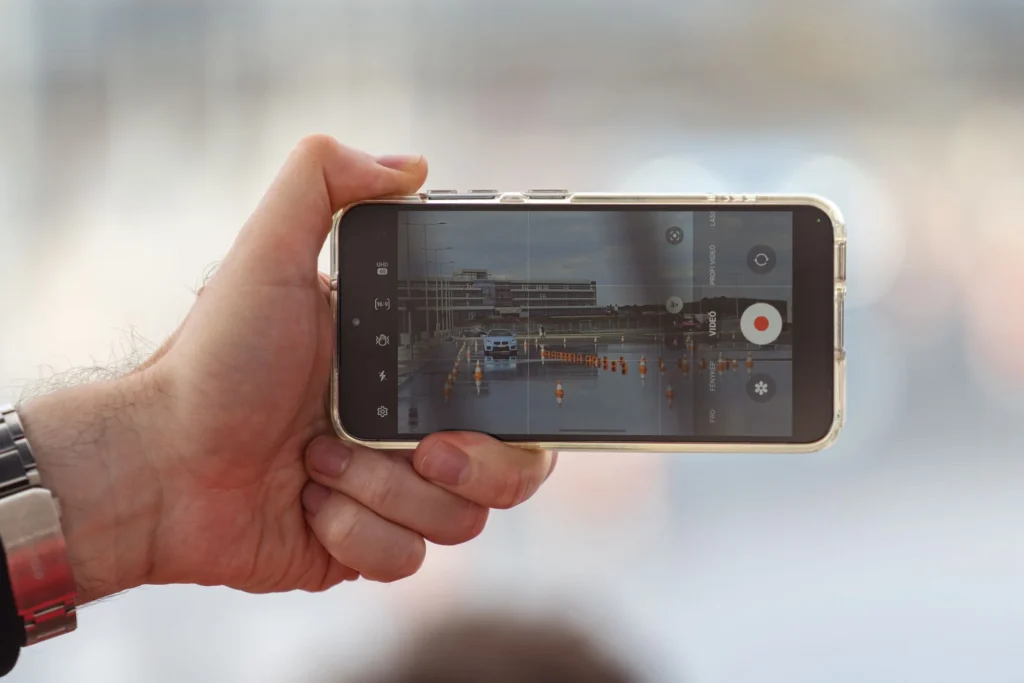
Why might Google ask for video verification?
Google may ask for video verification to confirm that a business is real, operates where it says it does, and that the person verifying is authorised to manage it. The video is usually recorded in one continuous take and may show the location or signage, equipment or tools of the trade, and proof of management such as keys or business documents. Google decides which verification methods are offered.
- Verification methods offered depend on the business and Google's checks.
- Videos usually need to be one continuous, unedited recording.
- Showing location, business equipment and proof of management can help.
How your case moves forward
A clear path from problem to next step
A structured sequence, so the underlying issue is dealt with before anything is submitted.
- 01Verification required
- 02Evidence plan
- 03Recording prepared
- 04Submitted
- 05Verified
Illustrative sequence. Every case is different and the final decision rests with Google.
Verification types
The verification problems we help with
Google chooses the verification method, and the options available can differ from one business to the next.
Video verification
Recording a short, continuous video that shows your location, signage, equipment or proof of management. Videos are often rejected when they are cut, unclear or miss key details.
Business evidence
Providing documents or photos that show your business name, address and operation. Evidence that does not match the profile is a common reason for failure.
Address verification
Showing that your business genuinely operates from the listed address, with signage and a presence customers can visit during stated hours.
Service-area verification
Verifying a business that serves customers at their locations, usually with a hidden address, and showing tools, vehicles or equipment used in the work.
Reverification
Being asked to verify again after edits to the name, address or category, or after Google reviews the profile for other reasons.
Video verification
Getting video verification right
We help you plan the video before you record it, so you know what to show and in what order.
Video verification is now one of the most common methods Google offers. You are usually asked to record a single, unedited video that shows where you are, that the business exists and that you are authorised to manage it. Google's instructions can vary between businesses and change over time, so it is important to read the prompt on your own profile carefully before you start recording.
Videos are often rejected for simple reasons. The recording is cut or edited, the street or signage is not shown, the business name is not visible, or the video does not show anything that only the business would have access to, such as unlocking premises, using equipment or showing management tools. A little planning before you press record can avoid another round of waiting.
- Record in one continuous take
- Show the street, exterior and signage
- Show inside the premises or your working equipment
- Show something that proves you manage the business
Not sure where your case stands? Send us the details for a free, no-obligation review.
Evidence
Evidence that may support verification
What is relevant depends on your business type and the method Google offers. Everything must be genuine and match the profile.
If your documents show a different name or address from the profile, that mismatch needs resolving first.
- Permanent signage showing the business name at the listed address
- Utility bill or business bank statement with matching name and address
- Business registration or licence where relevant to your sector
- Branded vans, uniforms or equipment for service-area businesses
- Point of sale, stock or tools used in daily operation
- A website that shows the same business name and contact details
- Keys or access showing you manage the premises
Our process
How we support verification
Preparation matters more than speed. A rushed attempt can lead to further delays.
- 1
Understand the situation
You tell us which method Google has offered, what has happened so far and share screenshots of any messages. We confirm whether the business appears eligible as listed.
- 2
Check the profile
We review the business name, address, categories and service areas to make sure the profile accurately reflects the real business before you attempt verification again.
- 3
Plan the evidence
We help you decide which documents and photos best show the business name, location and daily operation, and flag anything that may not match the profile.
- 4
Prepare for video verification
Where video is offered, we help you plan a clear, continuous recording that covers what Google typically looks for, based on your business type and premises.
- 5
Guidance after submission
We explain what to expect while Google reviews the submission, and help you understand next steps if more information is requested or verification is declined.
Service-area businesses
Storefront or service-area: getting it right
Many verification problems come from the profile being set up as the wrong type of business.
Common set-up mistakes
- Showing a home address that customers do not visit
- Listing a virtual office as the business address
- Adding service areas far beyond where you work
- Recording video at an address you do not operate from
A compliant approach
- Hide the address if you serve customers at their location
- Use an address you genuinely operate from
- Set service areas that reflect where you actually work
- Show real tools, vehicles and work in your evidence
Verification depends on eligibility
Verification confirms that a genuine, eligible business is managed by the right person. We cannot guarantee verification, and we cannot help verify a business at an address it does not operate from, or a business that does not genuinely exist. The method offered and the final decision are always Google's.
FAQs
Common questions
Straight answers to the questions business owners most often ask us about this.
Why does Google keep asking me to verify again?
Reverification is often triggered by edits to key details such as the business name, address or primary category. It can also happen when Google reviews a profile for other reasons. Making several changes at once, or changing details repeatedly, can make it more likely. We can review recent edits and help you plan changes more carefully.
Why was my verification video rejected?
Common reasons include cutting or editing the video, not showing the street or signage, the business name not being visible, or not showing proof that you manage the business. The video should be one continuous take that follows the prompts Google gives you. We help you plan the recording before you try again.
Can I choose which verification method I use?
Usually not. Google decides which methods are available based on the business type, location and other factors. Options can include video recording, and in some cases other methods. If only one method is offered, the best approach is to prepare properly for that method.
I work from home. Can I still verify?
Yes, if your business is eligible. If you serve customers at their locations, you would normally set the profile up as a service-area business and hide your home address. Your verification evidence would then focus on your tools, vehicle and work rather than a shopfront. We can check whether your set-up fits the guidelines.
Can I verify at a coworking space or virtual office?
Google generally does not accept virtual offices or mail addresses as business locations. A coworking space may only be acceptable in limited circumstances, such as permanent signage and staff present during business hours. If you cannot show a genuine, staffed presence, verification at that address is unlikely to be appropriate.
How long does verification take?
It varies. Some verifications are reviewed quickly, while others can take longer, particularly when Google needs to check the evidence manually. We cannot give a set timescale because the process is controlled by Google. We can help make sure your submission is complete, which helps avoid avoidable delays.
What if verification keeps failing?
Repeated failure usually points to something in the profile or evidence that does not line up. We review the business details, the address type and the evidence you have used, then explain what may need to change. If there is an eligibility issue, we will tell you honestly.
Free case review
Request a free case review
Tell us what is happening with your Business Profile. We will review the details and explain the likely cause and your realistic options.
- 1You send the details
Takes about two minutes. Screenshots can follow later.
- 2We review your case
We look at what has happened and what may have caused it.
- 3We talk you through it
Using your preferred method: phone, WhatsApp or email.
We never ask for your Google password. Your details are only used to respond to your enquiry.
Keep exploring
Related support
Problems often overlap. These services are closely connected to this one.
Need Help With Your Business Profile?
Tell us what has happened and we will review your case, explain the likely cause and set out the options available to you.